
Download ChatGPT Side Panel – Chrome AI Assistant Extension
Overview
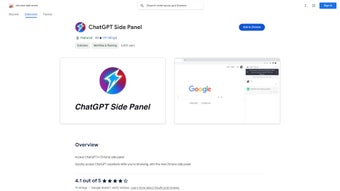
The ChatGPT Side Panel is a lightweight Chrome extension that brings OpenAI’s powerful language model directly into your web‑browser workspace. Designed for professionals, students, and casual browsers alike, the extension creates a persistent side panel where you can type prompts, ask follow‑up questions, and receive AI‑generated answers without ever leaving the page you’re viewing. This seamless integration eliminates the need to juggle multiple tabs or open a separate window for ChatGPT, effectively turning every Chrome session into a collaborative, AI‑enhanced environment.
Built with privacy in mind, the extension’s policy makes it clear that no browsing data is harvested for marketing or sold to third parties. The codebase follows Chrome’s extension guidelines, ensuring a secure sandboxed environment that respects user consent. While user feedback varies—some praise its speed and convenience, others note occasional latency on complex queries—the developers recommend Chrome version 114 or newer to guarantee optimal performance and access to the latest Web APIs.
In practice, the ChatGPT Side Panel serves as a digital research assistant, a brainstorming partner, and a quick‑reference tool. Whether you’re drafting an email, troubleshooting a code snippet, or simply curious about a topic you encounter while browsing, the side panel lets you ask the AI for clarifications, examples, or even short summaries, all while keeping your primary content in view. This design philosophy aligns with modern productivity trends that favor “single‑pane” workflows over fragmented multitasking, making the extension a valuable addition for anyone looking to boost efficiency and reduce context‑switching overhead.
Key Features
- Always‑On Side Panel: Persistent AI chat window docked to the right edge of Chrome, accessible with a single click.
- One‑Click Prompt Submission: Type or paste text, hit Enter, and receive instant, context‑aware responses.
- Multi‑Language Support: While the UI is English‑only, the underlying model can understand and generate text in dozens of languages.
- Secure & Private: No personal browsing data is collected; all communication is encrypted via HTTPS.
- Lightweight Design: Uses minimal RAM and CPU, keeping Chrome’s overall performance smooth.
- Customizable Settings: Adjust temperature, response length, and theme (light/dark) directly from the panel’s gear icon.
- Context Retention: The panel remembers the last few exchanges, allowing for natural follow‑up questions.
- Quick‑Insert Snippets: Drag‑and‑drop AI‑generated text into any web form or editor without leaving the page.
- Update Alerts: Automatic notifications when a new version is available, ensuring you always have the latest features.
- Developer Friendly: Open API hooks for advanced users who want to integrate the side panel with other productivity tools.
Installation & Usage Guide
Getting started with the ChatGPT Side Panel is intentionally straightforward. Follow these steps to install and make the most of the extension:
- Visit the Chrome Web Store: Search for “ChatGPT Side Panel” or follow the direct link provided on the developer’s website.
- Click “Add to Chrome”: A confirmation dialog appears; review the permissions (which are limited to displaying the side panel and communicating with OpenAI’s API) and click “Add Extension”.
- Pin the Extension (Optional): After installation, you’ll see the icon next to the address bar. Click the puzzle piece icon, find ChatGPT Side Panel, and pin it for instant access.
- Open the Panel: Click the icon or press Ctrl+Shift+Y (default shortcut) to slide the panel into view.
- Authenticate (If Required): The first time you use the panel, you may be prompted to sign in with an OpenAI account or provide an API key. This step ensures you receive the most accurate and up‑to‑date model responses.
- Start Chatting: Type a question—e.g., “Summarize the latest SEO trends”—and press Enter. The AI will respond within seconds, and the answer appears directly in the side panel.
- Leverage Advanced Settings: Click the gear icon to tweak response length, temperature, or switch between GPT‑4 and GPT‑3.5 models depending on your subscription.
- Insert Results: Highlight any part of the AI’s response, right‑click, and choose “Insert into page” to paste the text wherever you need it.
Tip: For heavy research tasks, keep the panel open while navigating multiple tabs. The side panel stays anchored, so you can copy‑paste answers into documents, spreadsheets, or code editors without breaking your flow.
Compatibility & System Requirements
The ChatGPT Side Panel is built exclusively for the Google Chrome browser on desktop platforms. For the best experience, ensure your environment meets the following criteria:
- Chrome Version: 114 or higher (mandatory for the latest Manifest V3 architecture).
- Operating Systems: Windows 10/11, macOS 10.15 (Catalina) or later, Linux distributions that support Chrome (e.g., Ubuntu, Fedora).
- Hardware: Minimum 2 GB RAM and a modern dual‑core processor; the extension itself uses less than 50 MB of RAM under typical usage.
- Internet Connection: A stable broadband connection is required to communicate with OpenAI’s servers; latency below 150 ms yields the quickest responses.
- Mobile Browsers: While a separate mobile version is planned, the current extension does not function on Chrome for Android or iOS due to platform restrictions.
Users running Chrome on older operating systems may encounter occasional rendering glitches or slower response times. In such cases, updating both Chrome and your OS is highly recommended. The development team monitors compatibility reports and releases patches regularly to address emerging issues, especially after major Chrome updates.
Pros and Cons
Pros
- Instant access to ChatGPT without leaving the current tab.
- Lightweight and does not noticeably impact browser performance.
- Strong privacy stance—no data mining or third‑party sales.
- Customizable settings let power users fine‑tune AI behavior.
- Seamless integration with web forms and text editors.
Cons
- Only compatible with desktop Chrome; no native support for mobile browsers yet.
- Occasional latency on very long or complex prompts.
- Requires an OpenAI account or API key for full functionality.
- Limited UI language options (English UI only).
- Some users report UI glitches on older Chrome versions.
Frequently Asked Questions
Is the ChatGPT Side Panel free to use?
The extension itself is free to download from the Chrome Web Store. However, to generate responses you need an active OpenAI account, which may involve usage‑based charges depending on your subscription plan.
Can I use the side panel with multiple OpenAI models?
Yes. Within the settings menu you can switch between GPT‑3.5, GPT‑4, and any other model you have access to via your API key. Each model has its own pricing and response characteristics.
Does the extension store any of my chat history?
All conversation data is kept locally in your browser’s storage and is cleared when you uninstall the extension or manually delete the history. No data is sent to third‑party servers beyond the encrypted request to OpenAI’s API.
How do I report a bug or request a new feature?
You can submit issues directly on the GitHub repository linked from the extension’s Chrome Store page, or use the “Feedback” button inside the side panel’s settings menu.
Is the extension compatible with other browsers like Edge or Brave?
Because the extension relies on Chrome’s extension APIs, it works in Chromium‑based browsers such as Microsoft Edge and Brave, provided they support Manifest V3. Installation must be performed manually via the “Load unpacked” option for non‑Chrome browsers.
Conclusion & How to Get Started
The ChatGPT Side Panel transforms a regular Chrome browsing session into an AI‑augmented workspace, delivering instant, context‑aware assistance without the distraction of switching tabs. Its lightweight footprint, strong privacy guarantees, and extensive customization options make it a compelling addition for anyone who spends considerable time researching, writing, or coding online. While it currently targets desktop Chrome users and may experience occasional latency on very complex queries, the overall value proposition—saving time, reducing context‑switching, and keeping your workflow uninterrupted—far outweighs these minor drawbacks.
If you’re ready to boost your productivity and enjoy the convenience of an always‑available AI companion, click the Download ChatGPT Side Panel button now. Install the extension, authenticate with your OpenAI account, and start asking questions the moment you open a new tab. Experience the future of browsing—where information and assistance are just a side‑panel away.
- Pros: quick access, lightweight, privacy‑focused, customizable.
- Cons: desktop‑only, requires OpenAI account, occasional latency.






